So, been awhile. I’ve been meaning to make more posts, but I just kept going, and by the times I finished what I set out to do, it was 7am… And well, I felt maybe going to bed was the better choice instead of staying up until 11am writing all this haha.
Current time of this sentence, it’s 2:37AM.
But yeah, I’ve been busy, but I was also dealing with an ear infection causing me 11/10 amounts of pain, keeping me up for multiple nights, so I didn’t get as MUCH done as I would have if that wasn’t going on, but I did quite a bit regardless. Luckily that’s now ended! And I can hear out of my ear again.
When I last left off, I was still unsure of many things, but managed to learn enough to make some basic additions and adjustments to my character controller. Now… I’ve become a bit more advanced on many levels, even while writing this I took a short break to go BACK to the character controller and sort out the movement velocity properly, something that I was actually able to figure out on my own!
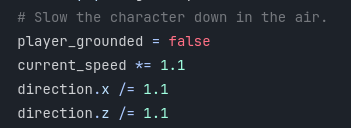
Fun fact by the way, for like a week now the current_speed line I had before was commented out and I had no idea until I went back to add spaces in my comments as I should have been doing from the start.
I also multiplied the current_speed instead of dividing it, gives it a nice feeling as you’ll see in the video later! (I never made that video…)
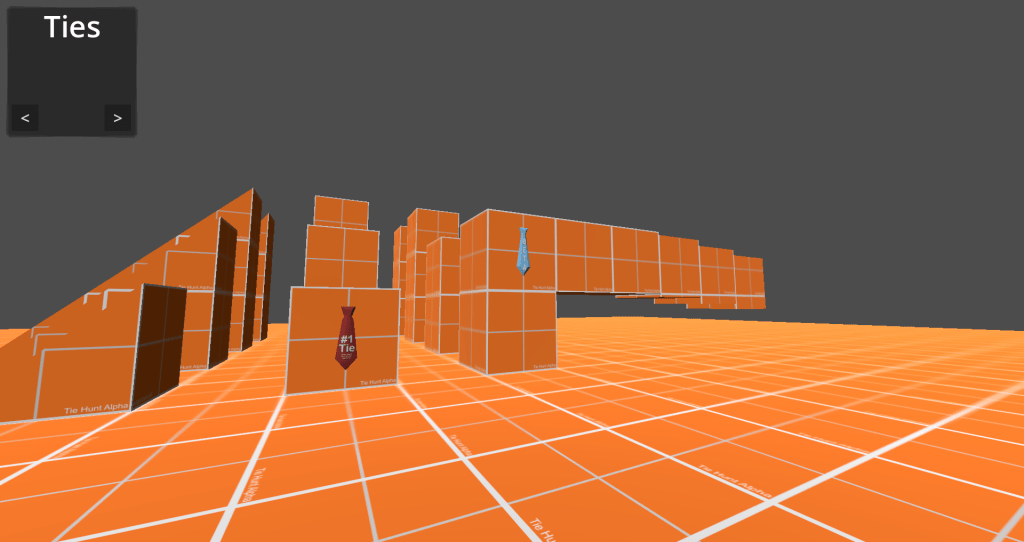
The spiral of events from this week, all began when I wanted to add the ability to finally collect the ties!
I did not do this yet… but I did start to set it up!
Instead, I felt like I needed to learn UI stuff, that way I can link all the info onto it! And… it was a rough thing to learn at first. And even though to an extent I’ve mastered it to the point I can make it do what I want… I’m still not the biggest fan of the way Godot handles it. In other ways though, it’s the best system ever!
My main problem, is I find it hard to work with things scaling. Being unable to set a max size on a label for instance can be quite a pain. The font I chose has some odd properties for example, the “#” has a large box around it for WHATEVER reason, causing the labels height to expand, despite it not needing to do so. So I just had to make the label have a taller minimum size, which worked out in a way, but still wish there was SOMETHING to prevent that. Looking around no suggestion seemed to fix that issue, such as clip contents. This is just an image before any of that though, back when I was still fighting with the UI system to understand it haha.
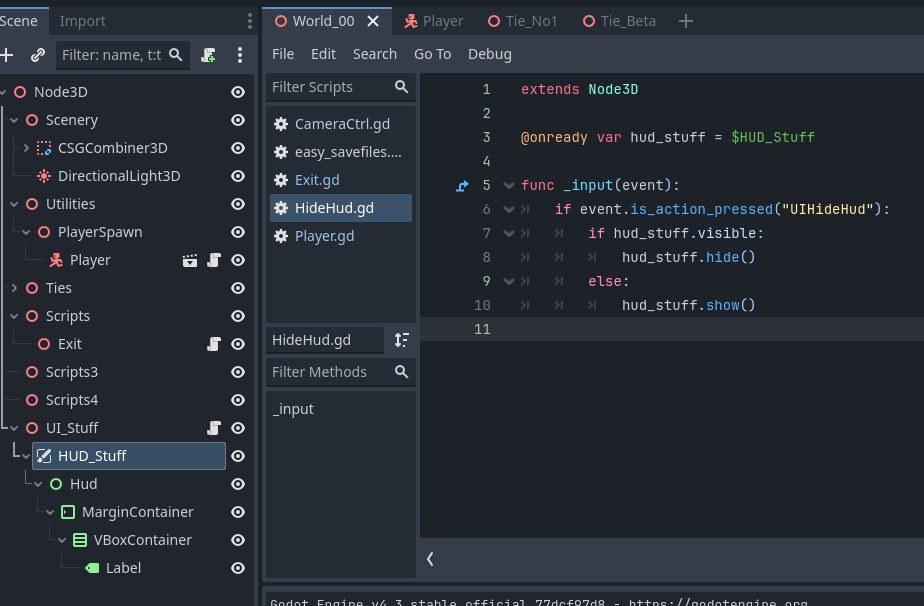
Next, with the HUD still in that state, I decided to test my hand at a hide HUD script! And it worked out! I however later changed this scripts name to reflect a bunch of loose hotkeys instead, called other_hotkeys. Though I did still manage to do it!
But next, I needed to figure out how to have a massive list of 125 ties that could be extremely flexible, work with the UI, and treat each one as it’s own entity. Luckily from watching many videos on the subject of a terrible game dev/human being, I knew it had to me more productive than a a long elif statement for litterally everything… If you know, you know…
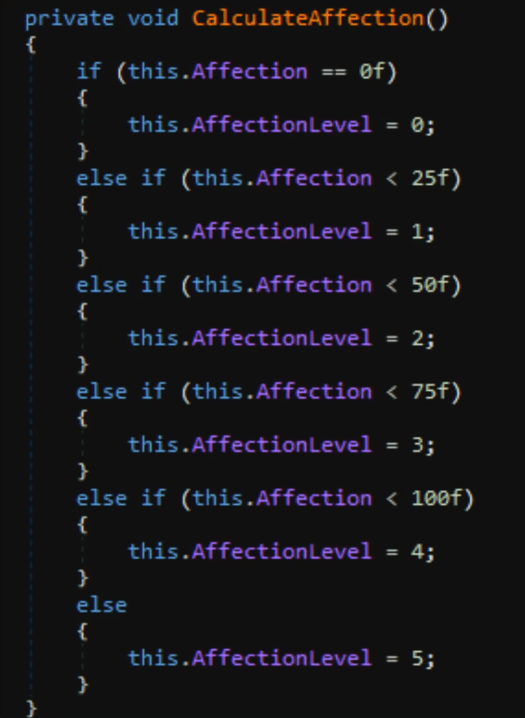
So I began a search, my first idea was to find out how my previous Unity script handled it. After all it was fully functional and keeping every tie accounted for! It must be advanced enough for me to take that code and translate it myself into GDScript now that I’m getting better.
… Right?…
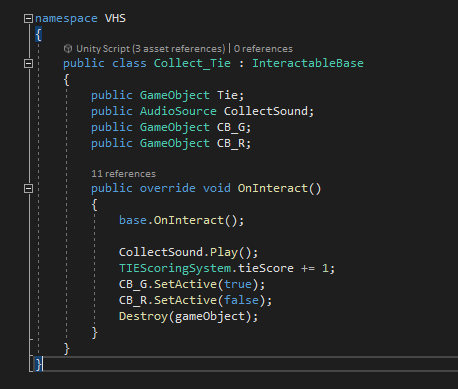
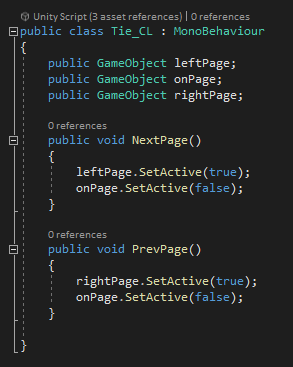
For those who don’t understand what’s going on in this code, this is the most bare bones, unnecessarily manual thing imaginable. It sets the tie score “0/125 Ties” up by 1 for each tie collected, and was based entirely on if the tie object was hidden or not. I don’t even know how I could have used this effectively to give achievements or TRULY keep track of each tie. Not to mention all the manual work and HOURS to DAYS I would have spent dragging each game object into each script. It would have gotten messy FAST.
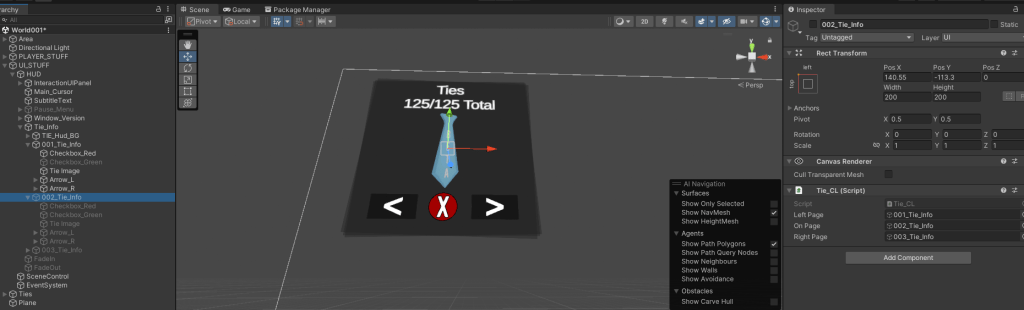
Not to mention each tie had it’s own HUD element, it’s own separate checkboxes…
This… is something I need to avoid at ALL costs… especially performance costs…
So… while I took the time to think of something more efficient, I decided to mess with normal maps! Something that surprisingly made the ties look super cool! Unity was alright with them… but I’m more impressed with how they look in Godot!
OH also on the back of each tie, the ties brand “Plaid-A-Puss” can be seen! Will I keep this around?… Not sure since you don’t typically see the back. But I think it will be one of those fun easter eggs only a few people will spot, those are always fun!


But after that, it was time… I was unable to think of anything myself, so I decided to ask Nelson what he thought might be the best way. He said there’s many ways I can go about it, but Resources might be a good idea. And he was right… For me, it was the perfect solution. My only obstacle…
“What the hell is a resource?…”
After watching a few videos talking about resources, setting up resources, and going into certain details of resources, I sorta understood them…
Okay not really. I found myself completely lost and needing to learn multiple things. For instance I had no idea how Arrays worked. Though I took a short detour.
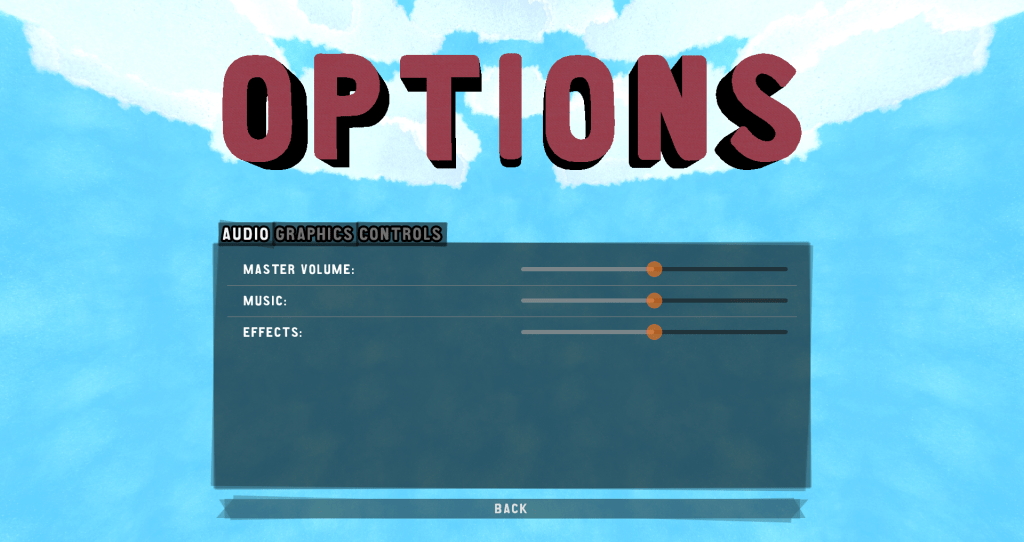
I made a main menu with 3D elements! Using some tutorials I found out how to do the 3D menu which was incredibly simple, and also setting up the ability to change key binds! The load button has yet to work, but you could start a new game, quit, and open the options menu. For fun as well I setup 3D text for “Options” and “Load” just to be extra fancy! Changing key binds works, but I have yet to setup audio and graphics. For setting up the menu buttons however… I went ahead from the tutorial and messed around with it myself, getting it to work!
Though… each button ran off it’s own script, which was INCREDIBLY unnecessary. Watching the tutorial further, I realized this and felt so stupid. Out of stubbornness I refused to turn it into a single menu script for a good week and a half. Waiting as well let me forget what I was shown in the tutorial, allowing me to do it myself and feel smart, which I did.

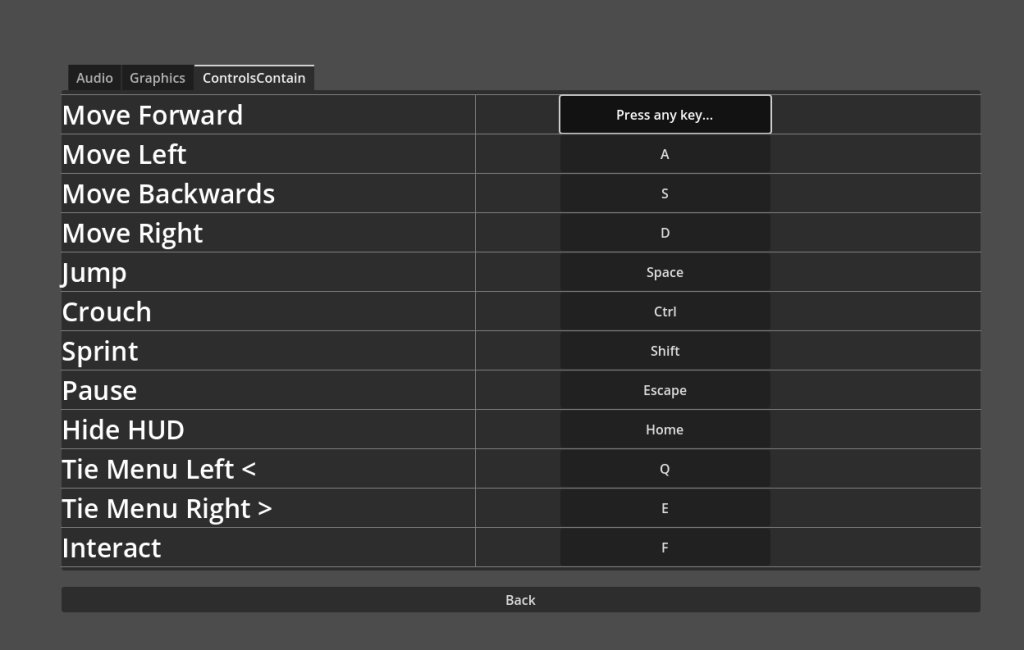
After some more learning and figuring out how arrays and a few other things worked, I went back to Resources. I watched many videos and not a single one told me how to use the info stored inside… Though I ignored that for now. After a few more questions and searching around, I actually managed to set it up!
At first, I struggled hard… I was throwing the resource script on nodes, tried searching for a resource node… it was a bit embarrassing. Though after searching some discussion board, it got explained further and I figured it out!
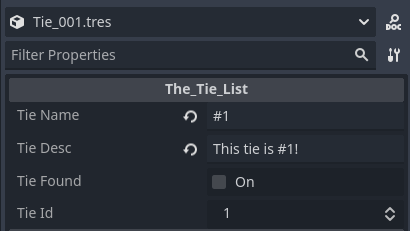
I managed to do it! Each tie had it’s own list of information, and it only required a few lines of code! This was exactly what I needed!
Though the next obstacle… figuring out how to access this information…
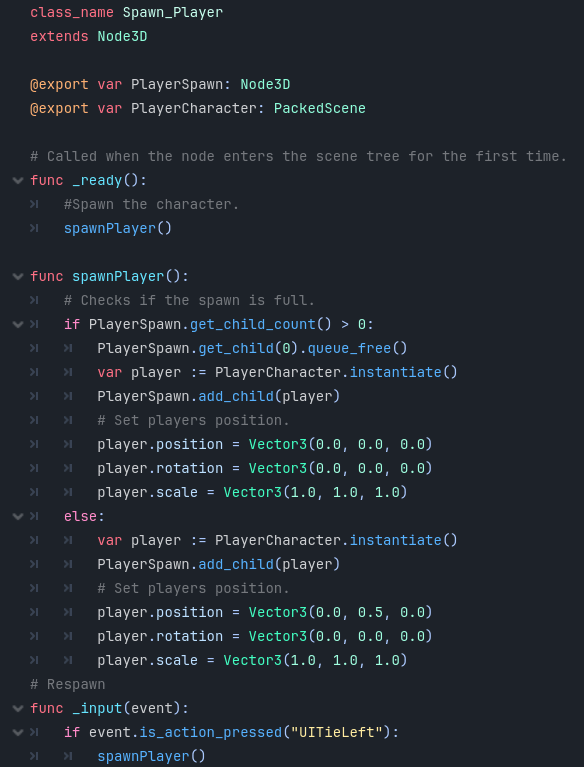
A little detour though, I accidentally found out how to make a spawn point through a video! So I quickly set that up, along with making a respawn/reset feature. I’ll most likely have to go back and improve this however at some point, though for now it works fine! And even though I did learn some of the code from a video, a good chunk of it I actually learned myself. Some being the first lines I ever learned for GDScript! I also had a bit of fun messing with the player scale, noticing I can have the character spawn in super small, or really tall!
Though now, it was time to find out how to reference Resource information.
I managed to get it to work fairly quickly! My knowledge was paying off, however my lack of knowledge was sill showing, and I sought out help from chat gpt. Something I’m a bit ashamed by even though it was info I would have had to google regardless, it just saved a bunch of pointless searching. The two lines being the highlighted ones below. One good thing however is I now fully understand those lines and can use them in the future. So I am using it more as a tool rather than a crutch as long as I learn what’s going on and retain the info.
I do need to stop using it though, regardless if it’s handy for stupid questions I’m too embarrassed to ask, thinking maybe I’m missing the most obvious answer.
Though with all this I was running into an issue I was unsure of how to solve…
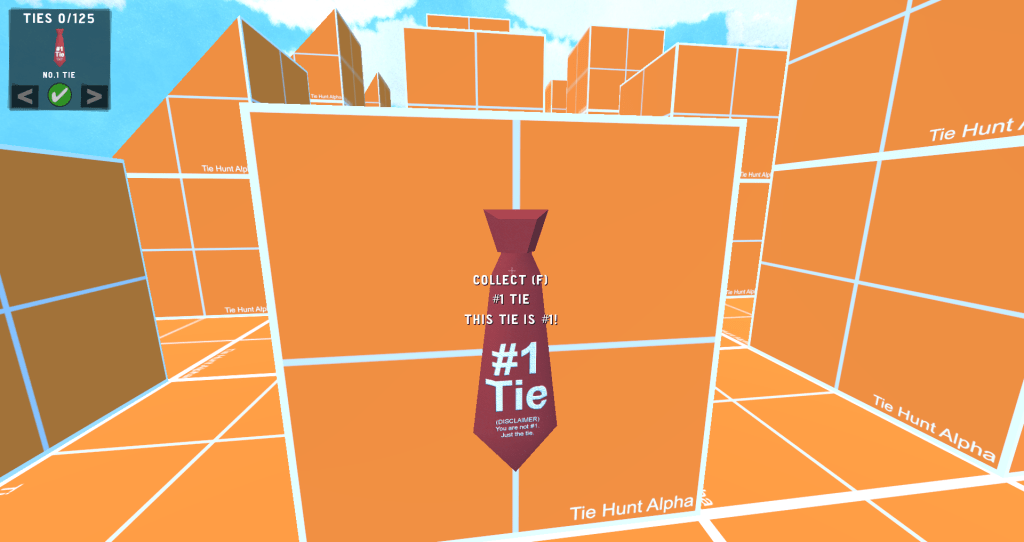
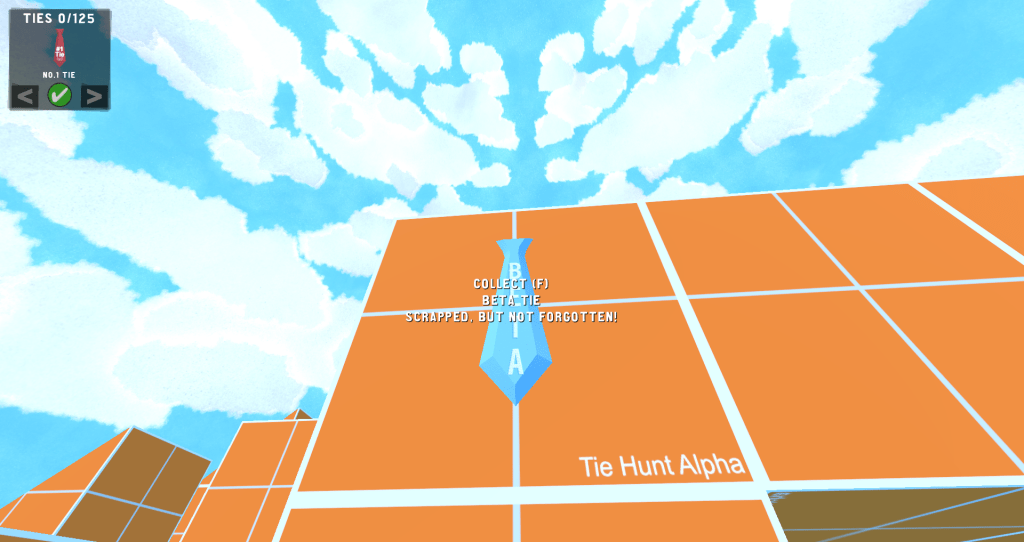

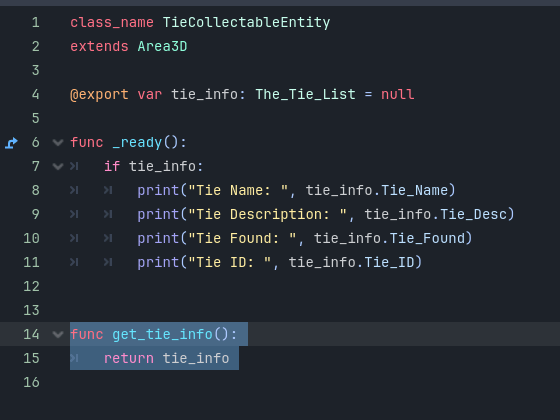
I was packing the HUD, and a few other elements all into their own scene. I was treating it like Unity prefabs which was incredibly inconvenient. I was trying my best to find a way to reference things IN this HUD scene on the player look raycast, and I DID manage to find something that worked… but it was unreliable and not exactly the best…
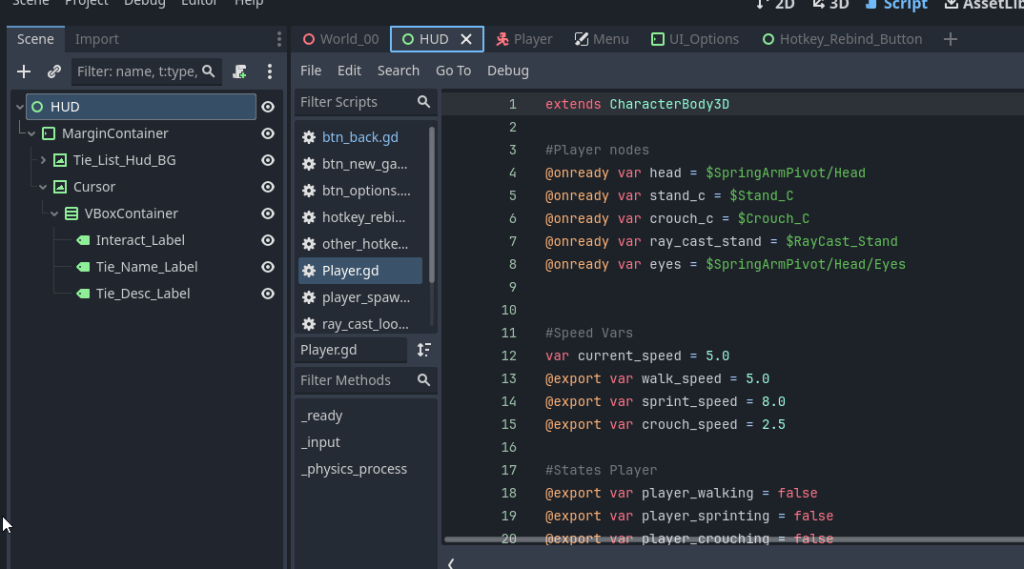
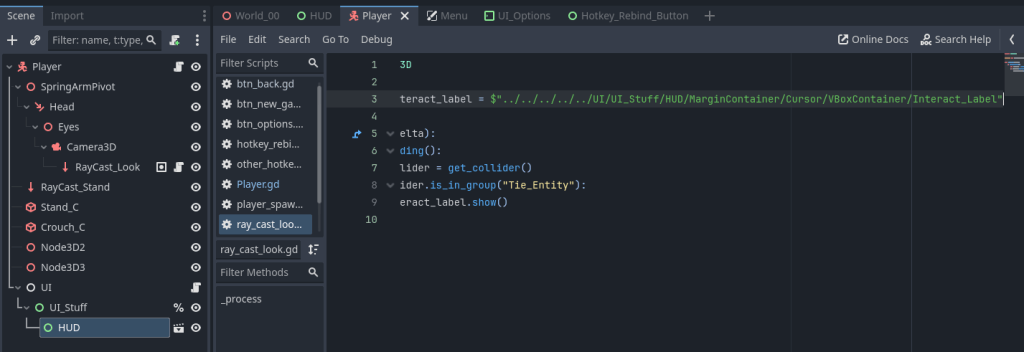
I then asked Nelson how I should go about dealing with this, and he linked me a doc page for scene organization. And one of the first lines stuck out to me…
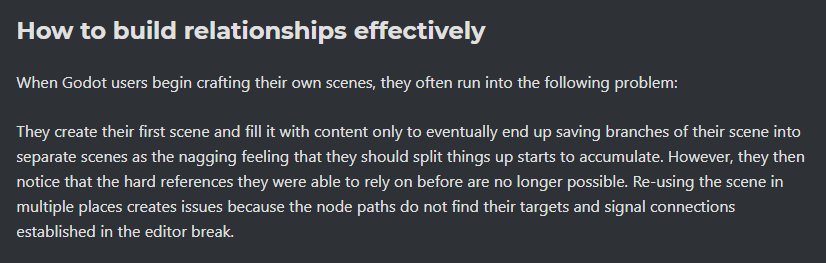
What WAS I doing? Why was I creating sub scenes within sub scenes when I could just be keeping things simple. I began thinking, I wish I could just have a drop down menu on this scene import to see the children nodes…
WAIT, that’s what I have if I just don’t pack them stupidly!!! I can also just select nodes and collapse them. Why was I doing this to myself??? So I stopped, and moved the HUD elements back on the player instead of making it it’s own scene for no reason.
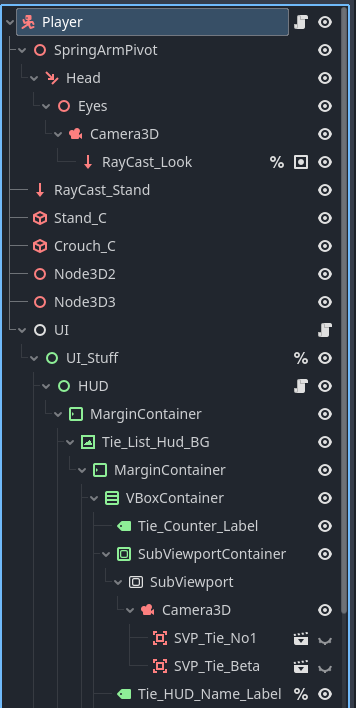
Nelson also gave me some advice after seeing I had multiple random scripts, and was controlling the UI through a script tied to the Raycast_Look game object, and some other oddities.
I think a good design pattern for UI is the UI to listen for events, rather than game logic directly setting UI properties.
I didn’t quite understand this at first, though it did get me to think. I have yet to try out some of the suggestions and ideas put out, I DID manage to combine multiple scripts into one, having everything be controlled in one HUD script rather than a raycast_look script mixed with some other weird bits…
This then made it far easier to access everything! The tie info could be used everywhere in the HUD properly without jumping through multiple hoops for no reason. And after awhile the HUD was fully operational!
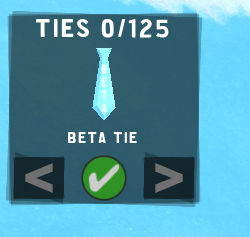
Earlier on back when I was working on the main menu, I found out I could have SubViewports as well! Having each tie icon be rendered in 3D rather than having 125 rendered images. I had an issue with them rendering in the real world however, though at this point I figured out render layers, hiding them from the main camera! Some of my Unity knowledge came in handy here as I used the same camera layering for the key in my Blue Maple prototype!
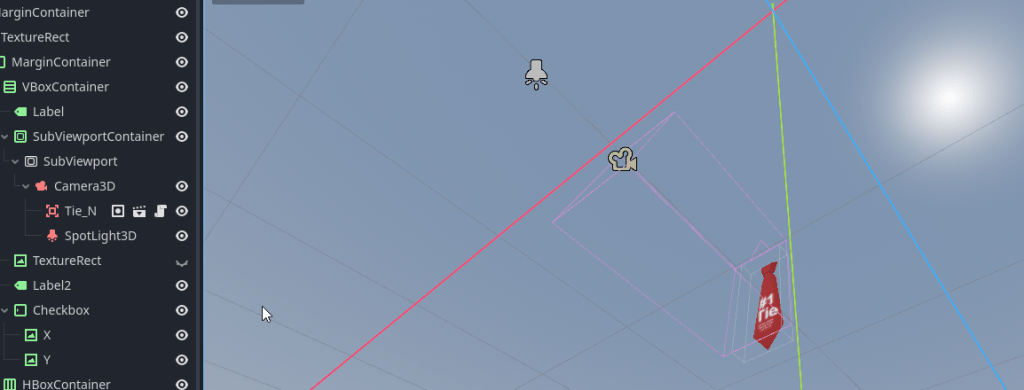

Though with the Subviewport, the lighting was a bit odd given I had a spotlight shining directly on the tie, and the sky was also affecting it. This was not ideal especially if the sky changes in different worlds. I then found out about the unshaded setting which was handy. It was just like in Blender and what I needed!
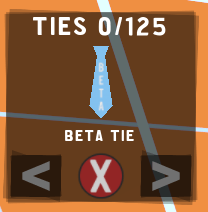
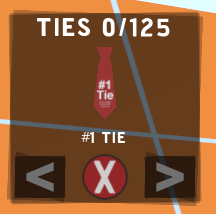
The best thing however, is the HUD isn’t split into 125 copies of itself. The info gets changed naturally and efficiently. The only thing I’m wondering is if I could of handled all the Subviewport tie icons better in the sense of not having to throw all of them under the scene. However I’d say it’s not a big deal.
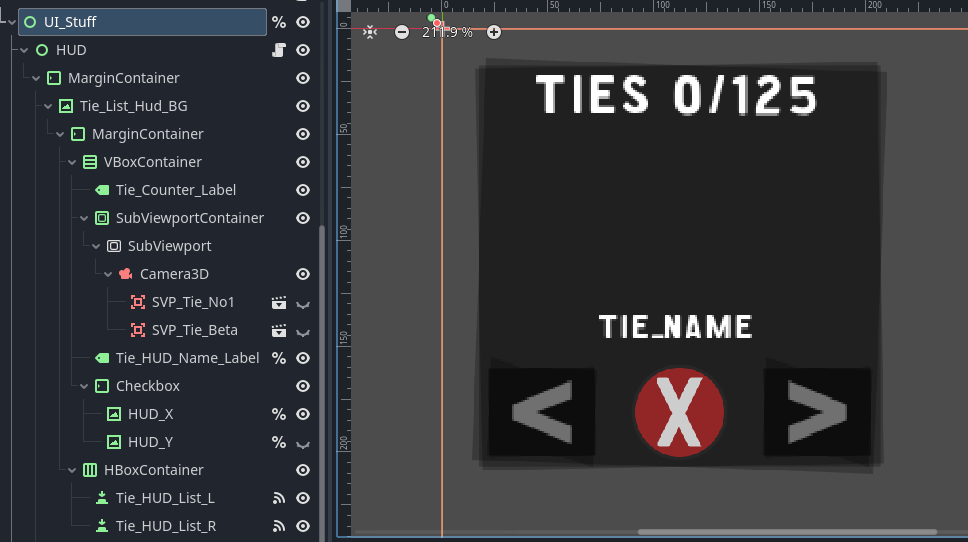
Some final thoughts for this post…
I was going through the old “Tie Hunt Unity Version” scripts from back in 2020. This was a fairly advanced character controller I downloaded, and seeing some of this code scared the hell out of me ACTUALLY thinking…
“This must be end game advanced programing far beyond variables and methods. I’ll never understand this…”
Though on the 29th in Godot, I just, MADE a region by right clicking. I seen that and was like, no fucking way THATS the same thing that scared me. I then laughed at how the scariest code I ever seen was JUST a fancy code folder. I guess the second thing was seeing “SerializeField”. I don’t understand what serializing does in general but reading through the docs public vars do it already and it’s just added to private ones so that’s also fairly simple it seems haha.
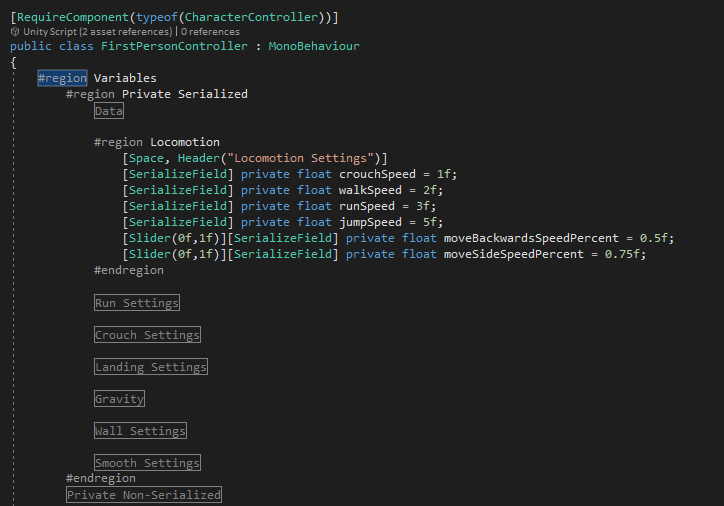
Thinking back now, I thought my biggest obstacles were just finding out the lingo, and understanding each line. But one obstacle I’ve came to realize is not looking at code as this mountain of needing to know everything all at once to progress. In fact I only need to learn what I need to know for the things I’m doing.
For Blender, I followed a donut tutorial, but when it came to making this glass cup to be rendered next to it? I gave up on the cup after messing up an extrusion that I couldn’t undo, then just went into the wild and just learned what I needed to at that given time. After I was just seeking out additional info as I went. And that’s just how I learned.
And I’m doing the same thing with Godot now! I did about half of the “Learn GDScript” program, like 10+ times? Unable to wrap my head around certain things at the time, but understanding others. Though despite some things being ACTUALLY spelled out for me like how functions work… It took MONTHS for it to actually click in my brain that it was a list of instructions that could be called. And that just happened randomly while I was trying to sleep one night. I hadn’t even touched GDScript in that month either!
The thing that took me EVEN longer, and that I ONLY found out THIS MONTH…
(I meant August, it took me awhile to write and publish this post haha)
Is what functions get called and what don’t. I looked at them as this magical thing that I never could understand. How and why do some get called while others don’t??? How do I control this? What magic do I need to learn how to have this be done at launch or update each frame???
I wish I was joking… It’s explained EVERY single time on a new script, in nearly any program. My brain is so freaking weird at times…

This STILL continues by the way. Three days ago? I couldn’t wrap my head around this for loop and why “i” was being used. I looked everywhere, read every explanation, would not click.

But the next day, it finally clicked while I was taking a shower.
NOW “i” understand it! It stands for EVERY index in the array! This code hides every index, while the line below reveals the currently selected one in the list!!
I REPEAT! “i” stands for every index!!!!!!!!!!!!!!!!!!!!!!!!!!
I was so happy figuring this out on my own.
(The comments in the code were added by me after, it was not me being blind lol.)
Then I went on my own for this project, learning what I need like I did with Blender, and my brain finally made sense of MANY topics I had trouble with back when I was using that learning app!
So yes, this week I began noticing how much I was learning and picking up on. I’m able to write my own scripts, take other scripts and fix/translate them and fix issues, something I couldn’t say at the start of August.
I’m nowhere near being a pro, I’ll look back at my code and it will be the biggest mess with unused/unnecessary bits, and I don’t think I’ll ever do anything NOT basic to most programmers, but I have managed to pick up this skill I thought was impossible for me with my mental disabilities. It took nearly a decade, and MANY more hours than most people, but I did it.
I can say for certain that Tie Hunt will release now. I didn’t know this going in. I expected to spend multiple hours with a player controller I downloaded, and a HUD that looked fancy but didn’t function. All with just a few static models. Just to give up, scrap everything, move on to another project, and try again in another 1-3 years when I’m bored or no longer working on other things.
But no, that didn’t happen, am I still afraid of some elements I have yet to tackle? Of course, but I’ll figure them out eventually. I’m looking at YOU save/load system!
 Kook The Cat
Leave a comment